Claude Managed Agents: What GTM Teams Need to Know

Tori Seidenstein
・
On April 16, Anthropic launched Claude Managed Agents. It’s exciting, because it’s an infrastructure for building agents that run int he background, taking action without a human in the loop.
For GTM teams, the promise of AI agents is clear: software that monitors buying signals, researches prospects, surfaces warm leads, and alerts reps when it’s time to act. Here's how think about whether it's right for you.
What is Claude Managed Agents?
Claude Managed Agents lets companies build AI agents that run in the background, take actions, and complete multi-step tasks without a human in the loop. Think of it as the engine that lets a business create their own AI employee: one that can browse the web, use software, send messages, and work through complex tasks autonomously.
So what could this actually look like for someone on a GTM team? It could mean a rep starts each morning with an agent-generated list of target accounts that raised funding, hired key executives, or showed buying signals online, along with drafted outreach and recommended next steps waiting in Slack or the CRM.
How to Get Started
If you're an individual working in GTM, you're probably wondering how you actually get to that kind of setup today. There are four things you need to set up.
Tell the agent what to do: This is where you define the agent's job. What is it looking for? What should it do when it finds it? What's off limits? You write this as a set of instructions, similar to onboarding a new hire, except instead of living in a document, the instructions live in a config file.
Give it a workspace: The agent needs somewhere to run. Claude Managed Agents spins up a private cloud environment, and you decide what it has access to: can it browse the internet? Can it run code? What data can it see? Think of this like setting up a work laptop before someone's first day.
Connect it to your tools: A lead-finding agent that can't reach LinkedIn, your CRM, or Slack isn't useful. In this step, you plug in the tools the agent needs to actually do its job and set the right permissions so it can read and write to those systems.
Turn it on and watch it work: Once it's running you can see what the agent is doing in real time, every search it runs, every decision it makes, every message it sends. If something goes wrong you can step in and correct it.
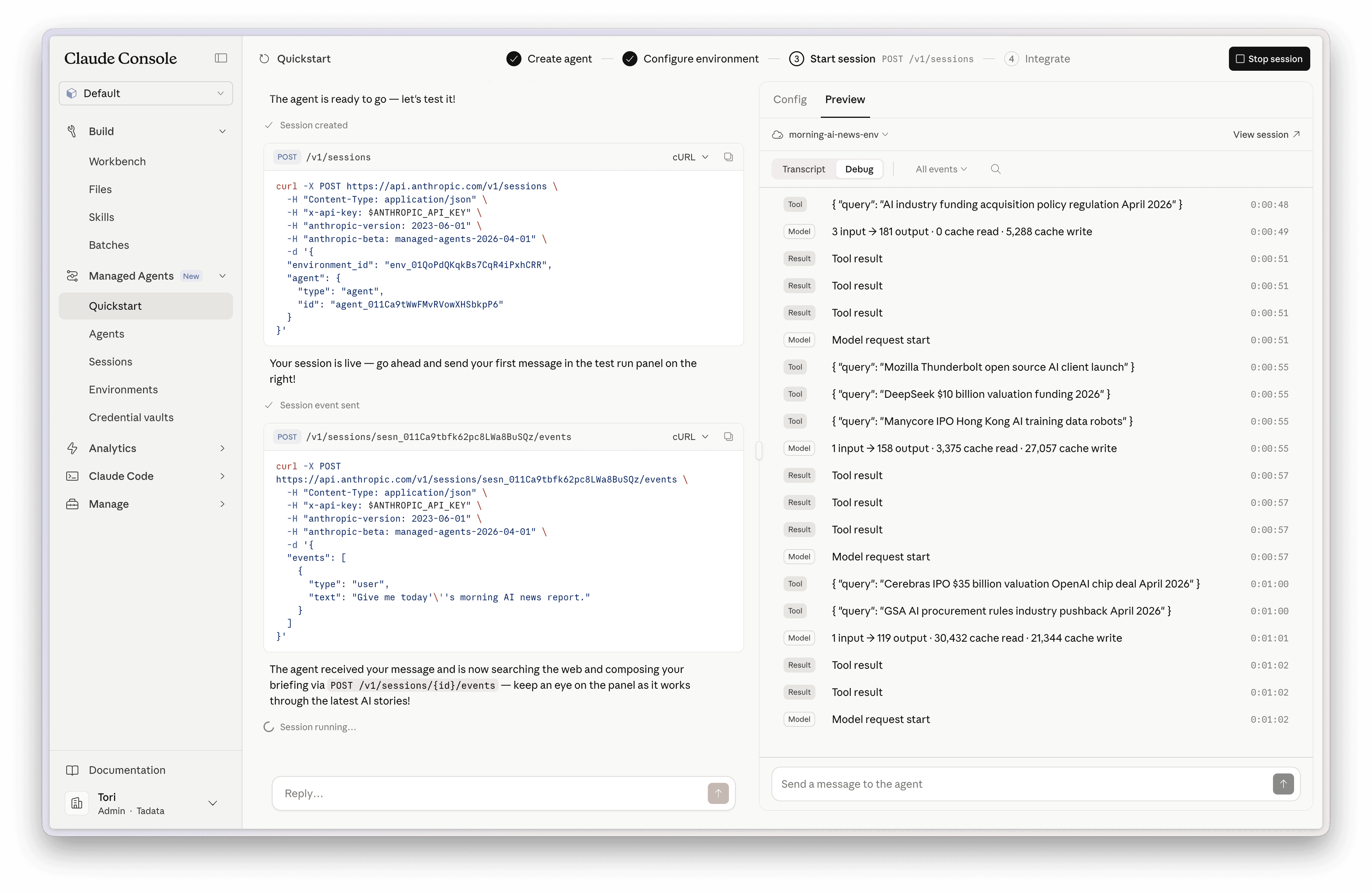
If you're not an engineer, a few of those steps probably raised more questions than they answered.
What exactly is a config file and how do you write one? If the agent goes off the rails, how do you actually step in and correct it mid-run? What does "set permissions" mean in practice? These aren't small details you figure out later, they're the core of getting the thing to work, and they each have a learning curve.
So Where Does That Leave Non-Engineers?
If you want the output of an agent without building the infrastructure, you need a different category of tool.
Tadata lets GTM teams deploy agents across LinkedIn, Reddit, Twitter, and your sales stack without writing a single line of code. It comes with pre-built agents or the ability to say in words what you want to automate and have that agent spring to life.
Here's how Claude Managed Agents and Tadata compare:
Claude Managed Agents | Tadata | |
|---|---|---|
What it is | General-purpose agent infrastructure, best-suited for teams building internal systems | An agent-building platform with pre-built building blocks for GTM operators |
Setup style | Configure behavior with YAML / JSON, tools, prompts, permissions, and workflows | Say in words what you want to automate, or grab an existing agent |
Technical background needed | Higher. Users should understand configs, know how to read JSON or YAML, and understand the concepts of environments and auth stores | Lower. Connecting your tools is a click. If you can set up a new app on your phone, you can use Tadata. |
Time-to-value | Slower upfront, more flexible in the long term | <5 minutes to have a fully autonomous agent running |
What Should I Use?
If you have an engineering team and need to build something fully custom, a workflow no existing tool covers, or an agent you're shipping as part of your own product, then Claude Managed Agents gives you the control to do that.
If your use case is recognizable (monitoring social media for leads, triaging replies, triggering outreach based on signals) and you need it running today without waiting on a developer, Tadata is built for that. Tadata has pre-built templates for the most common GTM workflows. Pick a template, configure it, and your agent is live.
Get started for free here.